Convert images, audio, video and more!

online-ConVert is an incredible web-based that allows you to quickly convert a huge range of different file formats.

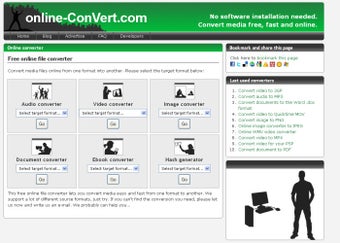
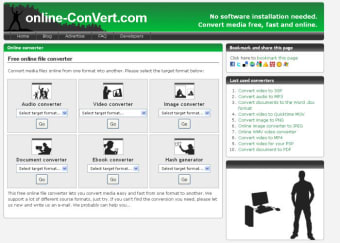
The kinds of files you can convert with online-ConVert include audio, documents, eBooks, images and videos. The service even includes an online hash encryption tool that allows you to apply tight protection to your files, adding checksums and providing shared HMAC keys.

Converting files with online-ConVert is a very simple affair. Go to the file category that you're interested in, select the format you wish to convert to, then browse to the source file on your hard drive.

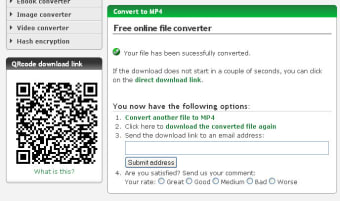
online-ConVert proves very handy for a wide range of popular conversion processes, and is particularly useful for video conversion. You can import video files of up to 100MB and convert them to 3GP, AVI, MOV, MKV, and FLV. After the conversion has taken place, online-ConVert displays a QR code which you can scan on your mobile phone to download the file directly to your device.

If you quickly need to convert files and can't be bothered to hunt for a software program to do it, online-ConVert makes for a great alternative. Our only criticism would be that the web interface isn't as user-friendly as many desktop converters. There is too much text on screen, and this can be both confusing and annoying.

Overall though, online-ConVert offers a quick way to convert to and from a range of different file formats.


  • Pros

    • Suports a wide range of formats
    • Download output files directly to your mobile
    • Provides information about each file type
  • Cons

    • User interface is very messy
 0/5

App specs

  • License

    Free

  • Latest update

  • Platform

    Web Apps

  • OS

    Safari

  • Language

    English

  • Downloads

    4K

  • Developer

    • online-ConVert

Program available in other languages


User reviews about online-ConVert

3.2

1 reviews

Add review

Main reviews for you

  • Anonymous user

    Great experience. I've tried a couple of online converters and this one is the fastest and has the best quality so far. I converted a video for my mobile and could directly download the file to it. You can also extract audio from video and make a screenshot from websites using their JPG converter. Pros: Many different converters availableSpeedQuality Cons: You have to trust the service because you have to upload your file you want to convert.

More

You may also like

Alternatives to online-ConVert

Explore Apps

Latest articles

Laws concerning the use of this software vary from country to country. We do not encourage or condone the use of this program if it is in violation of these laws.
Softonic

Is online-ConVert safe?

100/100

Score result: Clean

This file passed a comprehensive security scan using VirusTotal technology. It is safe to download.

  • Virus free
  • Spyware free
  • Malware free
  • Verified by Security Partners

    VirusTotal logo

Scan Info

Last scan
Thursday, November 16, 2023
Scan provider
VirusTotal

Softonic security commitment

online-ConVert has been thoroughly scanned by our advanced security systems and verified by industry-leading partners. This file comes from the official developer and has passed all our security checks, showing no signs of viruses, malware, or spyware. For more information, visit our Security and Trust Center